(1).png)
Introduction
Use this guide to sign in to Trepy or reset a forgotten password. If you are a returning user, log in with the email and password from your Member account. New users should create an account first, then verify email.
Objectives
After reading this article, you will be able to:
- Sign in at App.Trepy.com
- Request and use a password reset link
- Tell the difference between login errors and email verification blocks
Prerequisites
Steps
Step 1: Sign in to Trepy
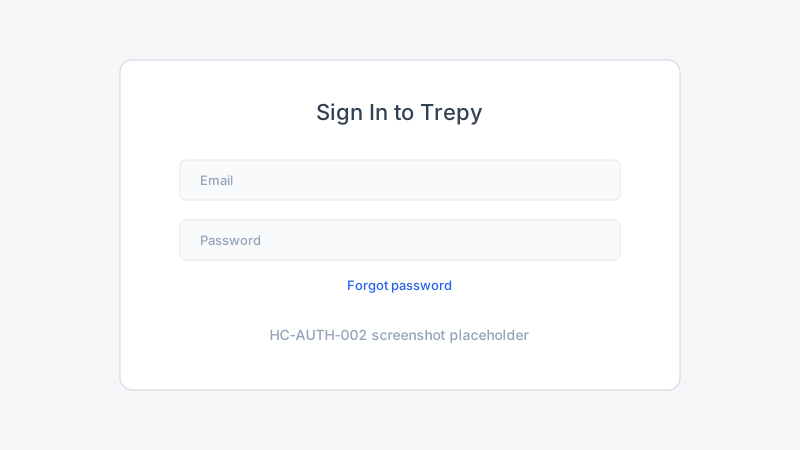
- Go to App.Trepy.com.
- Enter your account email and password.
- Click Sign in or Log in.
If Trepy redirects you to Verify email, complete email verification before continuing.
Step 2: Reset a forgotten password
- On the login page, click Forgot password.
- Enter the email address for your Trepy account.
- Open the password reset email from Trepy.
- Click the reset link and enter a new password.
- Return to the login page and sign in with the new password.
Step 3: Confirm you reached the right workspace
After login, Trepy opens your last-used workspace — often Member home.
- Check the workspace name in the header.
- If you need an admin dashboard, open the workspace switcher.
Best practices
Common mistakes
Troubleshooting
| Problem | Likely cause | Solution |
|---|---|---|
| Invalid email or password | Typo or wrong account | Retry carefully or reset password |
| Reset email not received | Spam filter or wrong email | Confirm the email on your account; check spam |
| Logged in but no admin tools | Wrong workspace | Switch workspaces |
| Stuck on verify email screen | Unverified account | Verify your email |
Frequently Asked Questions
Can I change my login email?
Contact your Organization Admin or Trepy support for account email changes. Policy may vary by organization.
Does password reset log me out everywhere?
Password reset invalidates old sessions. Sign in again on each device you use.
I verified email but still cannot log in. What now?
See Troubleshooting role and workspace access.
Related articles
- How to Create a Trepy Member Account
- How to Verify Your Email Address
- How to Switch Between Member and Admin Workspaces
Next steps
Learn to switch between Member and admin workspaces.
Release notes
_No release note links yet._